

Office Ergonomics and Work-Related Back Pain: A Lutz Chiropractor’s Guide
If your workday in Lutz involves email, meetings, and long stretches at a desk, there’s a good chance your back is paying the price. At Crystal Grove Chiropractic, we see how everyday office habits can quietly strain the spine, tighten muscles, and sap energy. The good news: with a few smart ergonomic changes—and the right chiropractic plan—you can protect your back, feel better, and stay productive without pain.
This guide explains why office ergonomics matter, what actually stresses your spine at a desk, how chiropractic care addresses work-related back pain, and the simple, repeatable steps you can use to set up a pain-smart workstation—at the office or at home.
What do we mean by “work-related back pain”? It’s back discomfort or stiffness triggered or worsened by daily work tasks—most often sitting, computer use, or repetitive reaching. Ergonomics is about fitting your workspace to your body so your spine can work the way it’s designed to—without unnecessary strain.
Why Office Ergonomics Matter for Your Spine
Your spine is built to move. But desk work often asks it to hold the same positions for hours. When joints don’t move well, nearby muscles must work harder to stabilize you. Over time, this creates a cycle of stiffness, fatigue, and pain.
Ergonomics helps by aligning your body with your tasks. When your chair, desk, screen, and keyboard support neutral posture, your spine shares load the way it should. That means less compression, fewer trigger points, and less irritation to the joints and nerves that keep you comfortable throughout the day.
Thoughtful ergonomics is not about forcing a “perfect posture.” It’s about allowing easy, natural alignment and frequent movement. Combine that with chiropractic care to restore joint motion, and you have a strong, long-term solution.
The Simple Biomechanics Behind Desk-Related Back Pain
At a desk, three things often drive pain: prolonged flexion, uneven loading, and repetitive reach. Sitting rounds the lower back into flexion; if your chair or screen height is off, your neck and shoulders pitch forward too. That shifts pressure to the discs and strains the small joints that guide motion.
When one part of the spine moves too little, another area moves too much to compensate. The overworking area gets irritated; the underworking area stiffens. This pattern is common in the lower back and between the shoulder blades. Chiropractic adjustments target those specific restrictions to restore motion so your body doesn’t have to compensate.
Add in stress and shallow breathing, and muscles in the low back and neck tighten further. That’s why posture, workstation setup, and regular movement breaks work best when paired with care that improves how your joints actually move.
Common Workplace Mistakes and How to Fix Them
Small changes add up. Here are frequent problems we notice in Lutz-area offices—and what to do instead.
| Workstation Mistake | Better Setup | Why It Helps |
|---|---|---|
| Screen too low or off-center | Top of monitor at or slightly below eye level; screen centered | Reduces forward head posture and neck strain |
| Chair too high with feet dangling | Chair height so hips are level with or slightly above knees; feet flat or on a footrest | Improves pelvic position and lumbar support |
| Armrests that shrug shoulders | Armrests adjusted to support elbows without elevating shoulders | Decreases upper trapezius tension and mid-back fatigue |
| Keyboard too far away | Keyboard close, elbows by sides, wrists neutral | Prevents reaching that stresses the shoulders and mid-back |
| Leaning into laptop screen | Use an external keyboard/mouse and raise the laptop on a stand | Keeps spine upright and reduces cervical flexion |
| Standing still at a standing desk | Alternate sitting/standing and shift weight regularly | Encourages circulation and joint nutrition via movement |
For more detail on workstation ergonomics, organizations like NIOSH offer helpful guidance on positions that reduce strain (CDC/NIOSH ergonomics).
How Chiropractic Care at Crystal Grove Chiropractic Helps
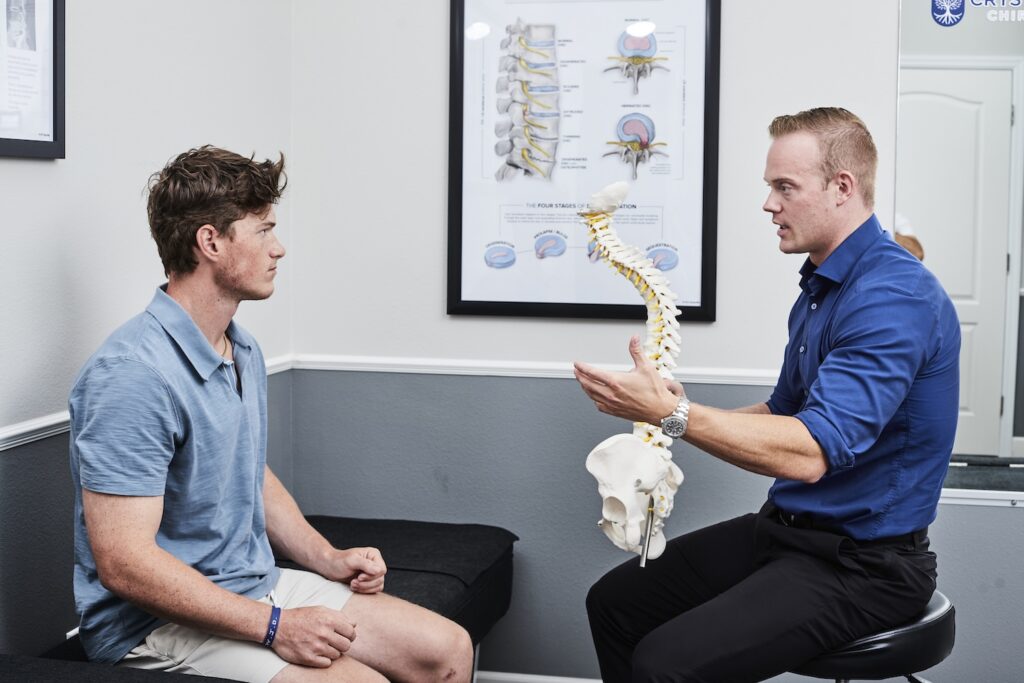
Chiropractic is a frontline, non-invasive solution for work-related back pain. At Crystal Grove Chiropractic, your care starts with a thorough evaluation of your spine, work habits, and movement patterns. We identify joints that are restricted, muscles that are overworking, and the specific postures that aggravate your symptoms.
Precise chiropractic adjustments restore motion to the joints of the spine and pelvis. When joints move the way they should, surrounding muscles can relax and coordinate again. That often means less stiffness, easier upright posture, and fewer pain flare-ups during the workweek.
We also teach you how to maintain results: workstation tweaks tailored to your body, movement microbreaks you can do anywhere, and simple mobility work to keep progress going between visits. This combination targets both the cause (joint dysfunction and movement imbalance) and the daily triggers (desk setup and work habits).
Large clinical guidelines support spinal manipulation as part of evidence-based, conservative care for low back pain, including office-related pain patterns (American College of Physicians). Research also indicates that when performed by trained professionals, spinal manipulation is generally safe for most people (NCCIH).
Step-by-Step: Set Up a Pain-Smart Workstation
- Start at the chair. Sit back so your back is supported. Adjust height so your hips are level with or slightly above your knees. If your feet don’t reach the floor, use a footrest or a small box.
- Add gentle lumbar support. A small pillow or a rolled towel at the natural curve of your lower back can help you maintain upright posture without effort.
- Position the desk and keyboard. Keep the keyboard close with elbows relaxed by your sides and wrists straight. If the desk is too high, raise the chair and use a footrest.
- Set the monitor height and distance. The top of the screen should be at or slightly below eye level. Place it about an arm’s length away so you can see clearly without leaning forward.
- Optimize the mouse. Place the mouse next to the keyboard at the same height. Keep movements light and close to your body to reduce shoulder loading.
- Manage the laptop. If you use a laptop for more than quick tasks, add a stand and an external keyboard/mouse. This one change can dramatically reduce neck strain.
- Use your armrests wisely. Adjust them to lightly support your forearms without pushing your shoulders up. If they get in the way, lower or move them out for close desk access.
- Light your space. Good lighting reduces the urge to lean toward the screen. Glare can cause head-forward posture as you search for a better angle.
- Stand sometimes—but keep moving. If you have a sit-stand desk, alternate every 30–60 minutes. When standing, keep your weight evenly distributed and shift or step every few minutes.
- Keep essentials within reach. Frequently used items should be within your forearm’s reach. This simple rule reduces twisting and reaching that stress the mid-back.
Movement Microbreaks You Can Do in 60 Seconds
Movement feeds the joints in your spine, boosts circulation, and resets posture. Set a gentle timer for every 30–45 minutes and try this one-minute routine right at your desk.
- Stand, roll shoulders back and down 5–8 times while breathing slowly.
- Gently tuck your chin and lengthen the back of your neck; hold 5 seconds, repeat 3 times.
- Place hands on hips and perform 5–8 slow, comfortable hip hinges to ease lumbar stiffness.
- Finish with 10 small calf raises or a 30–45 second hallway walk to re-energize your legs and back.
These breaks are brief by design. They work because they are frequent. If you forget, pair them with a routine task—every time you send a meeting recap, take a microbreak.
When to See a Chiropractor (and When to Seek Medical Care)
Consider scheduling a chiropractic evaluation at Crystal Grove Chiropractic if any of the following sound familiar:
- You have back pain or stiffness most workdays.
- You feel fine on weekends but flare during the week.
- You’ve adjusted your chair repeatedly but still can’t get comfortable.
- You rely on pain relievers to get through the day.
- Your pain has lasted more than 7–10 days, keeps returning, or is starting to limit your focus or sleep.
A chiropractor is trained to assess your spine, identify movement restrictions, and correct them with safe, targeted adjustments. We’ll also help you dial in your workstation and daily movement habits so the problem doesn’t keep returning.
Red flags—seek urgent medical care first:
- New or worsening numbness in the groin/saddle area
- Loss of bowel or bladder control
- Progressive leg weakness
- Unexplained fever
- A history of significant trauma
If any of these are present, get immediate medical evaluation.
Myths vs. Facts About Office Back Pain
-
Myth: “If I buy a standing desk, my back pain will disappear.”
Fact: Standing all day can stress your back and legs too. Alternating positions and moving often is what helps most. -
Myth: “Good posture means sitting perfectly straight and still.”
Fact: Your spine loves variety. Neutral posture matters, but small, frequent movement is just as important. -
Myth: “If my imaging shows wear-and-tear, I’m stuck with pain.”
Fact: Many people have age-related changes on imaging and no pain. Improving joint motion and daily mechanics can make a meaningful difference.
Local Support in Lutz: We’re Here to Help
Here in Lutz and the North Tampa area, a lot of our patients split time between the office and home. We’re familiar with the unique challenges that come with small home desks, laptops on kitchen counters, and long commutes. Our goal is to help you create a work setup that fits your life—and keep your spine moving well so you can enjoy it.
If you have questions about your chair, monitor height, or recurring workday aches, we’re happy to help. A brief chiropractic evaluation can clarify what your spine needs and what simple ergonomic updates will give you the most relief.
FAQs
What is the best sitting posture for lower back pain at work?
Sit back in the chair with your pelvis slightly untucked, hips level with or slightly above knees, feet flat, and a light lumbar support. Keep the screen at eye level so your head stays over your shoulders.
Are standing desks better for back pain?
They can help when used well. Alternate sitting and standing every 30–60 minutes and keep moving. Standing still for hours can create different problems.
How often should I get up from my desk?
Every 30–45 minutes, even for 60 seconds. Frequent, short movement breaks are more effective than occasional long ones.
Can a chiropractor help if my MRI shows a disc bulge?
Many people with disc changes respond well to conservative chiropractic care focused on restoring motion and reducing irritation. An in-person evaluation helps determine the best plan.
Is it okay to exercise if my back hurts from sitting?
Gentle, comfortable movement is usually helpful. If pain is sharp, radiating, or worsening, get evaluated first so you know what’s appropriate for you.
TL;DR
- Desk work strains the spine when posture and movement are off—ergonomics make daily comfort possible.
- Chiropractic adjustments restore joint motion, reduce muscle tension, and help your posture feel natural again.
- Set your chair first, raise the screen to eye level, keep keyboard/mouse close, and move every 30–45 minutes.
- Use quick, 60-second microbreaks to reset your back throughout the day.
- If pain lingers more than a week or keeps returning, schedule a chiropractic evaluation; seek urgent care for red flags.